Access queue
An access queue (waiting room) keeps your site up during a launch, a ticket sale or a sudden spike: Corvus lets in only as many visitors as your service can handle and queues the rest in order. Waiting visitors see a page with their position, localized in 8 languages, that refreshes by itself.
Set it up
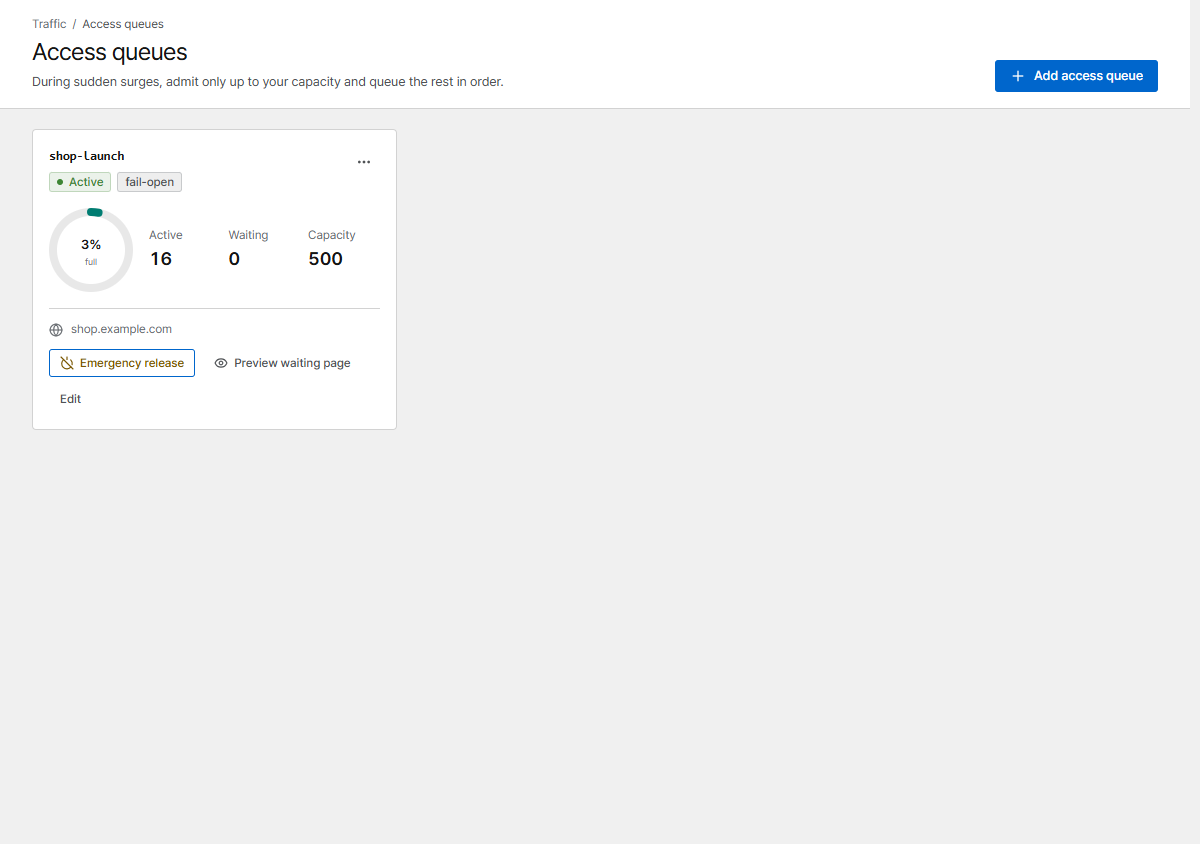
- Open Access queues and click Add access queue.
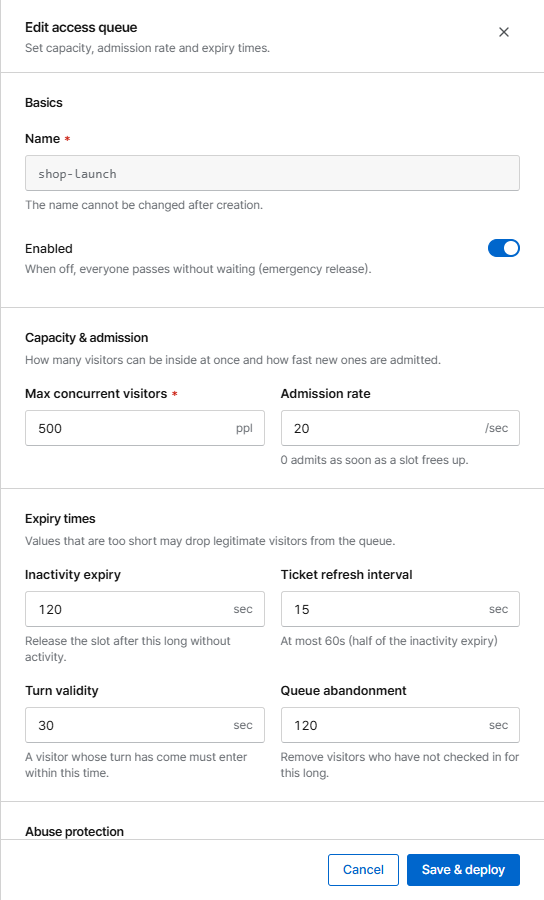
- Set the capacity (see below) and save.
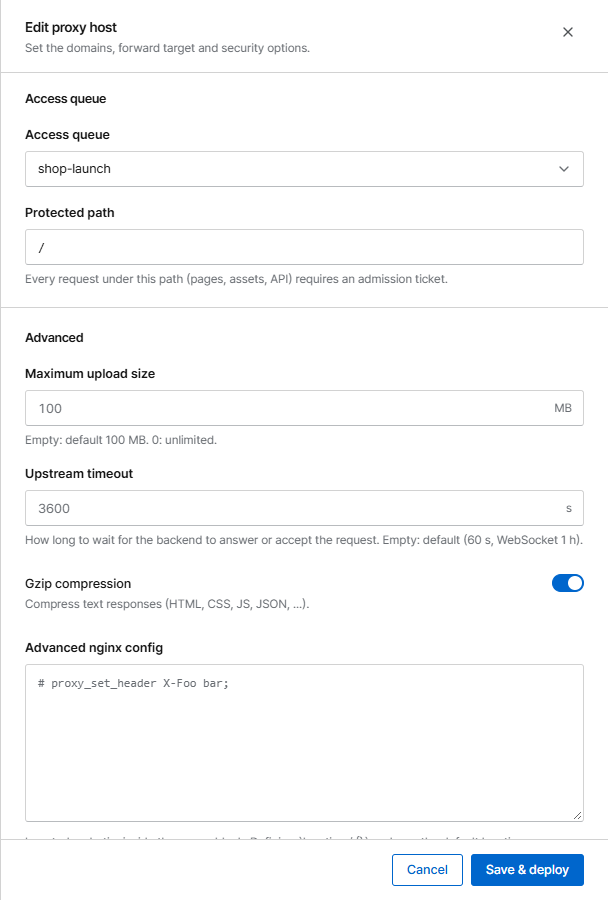
- Open the proxy host and choose the queue under Access queue. Protected path
/protects the whole site;/eventonly that part.
Settings
| Setting | Meaning |
|---|---|
| Max concurrent visitors | How many visitors can be inside at once |
| Admission rate | How many new visitors per second are let in (0 = as soon as a slot frees up) |
| Inactivity expiry | A visitor's slot is released after this long without requests |
| Turn validity | A visitor whose turn has come must enter within this time. If they miss it (e.g. a background tab) and check in again within the queue abandonment time, they go back to the front of the line |
| Queue abandonment | Waiting visitors who stop checking in for this long are removed (default 5 minutes for new queues: phones pause pages in the background, so a visitor who switches apps briefly keeps the place) |
| When the cache DB is down | Let everyone in (fail-open, favours availability) or Block access (fail-closed, protects capacity) |
| Max queue length | Beyond this, new visitors are asked to come back later (0 = unlimited) |
| Queue joins per IP | New queue entries one IP may create per minute |
| Bind admission to the client network | Admission only works from the same network, so it can't be shared. Visitors who change networks queue again |
Choosing the capacity
Start with the number of simultaneous users your service handled comfortably in a load test, and watch Active and Waiting on the dashboard during the event.
During the event
- The dashboard and the Access queues page show active and waiting visitors live. Active counts reserved places: it includes visitors whose turn has come but who haven't arrived yet, and visitors who left without closing the page until their inactivity expiry ends.
- Emergency release lets everyone straight through, for example when the spike is over. Visitors still on the waiting page go in automatically. Turn back on restores the queue.
- If the cache DB restarts (for example when Corvus is upgraded), visitors who are already inside stay inside, and the line starts again from the visitors who check in first.
- An alert can notify you when the backlog grows.
APIs and apps
Pages, images and API calls under the protected path all need an admission. A browser gets it
automatically (a cookie) while it waits on the queue page. Requests that can't show the waiting page,
such as fetch/XHR calls or apps, get 429 Too Many Requests with a Retry-After header and a
small JSON body while they wait. They don't count as server errors.
Cross-site clients
Over HTTPS the queue cookies are SameSite=None, so visitors who come back from another site
(for example a payment provider's 3-D Secure step) keep their place. Over plain HTTP they are
SameSite=Lax and such returns are queued again. A web app on another site (for example
app.example.org calling api.example.com) must send credentials (credentials: "include");
otherwise protect only the paths people open in a browser, or put the API on a host without a
queue.