Streams (TCP/UDP)
Streams forward a TCP and/or UDP port to another host, for services that don't speak HTTP: databases, SSH, MQTT, VPNs, game servers.
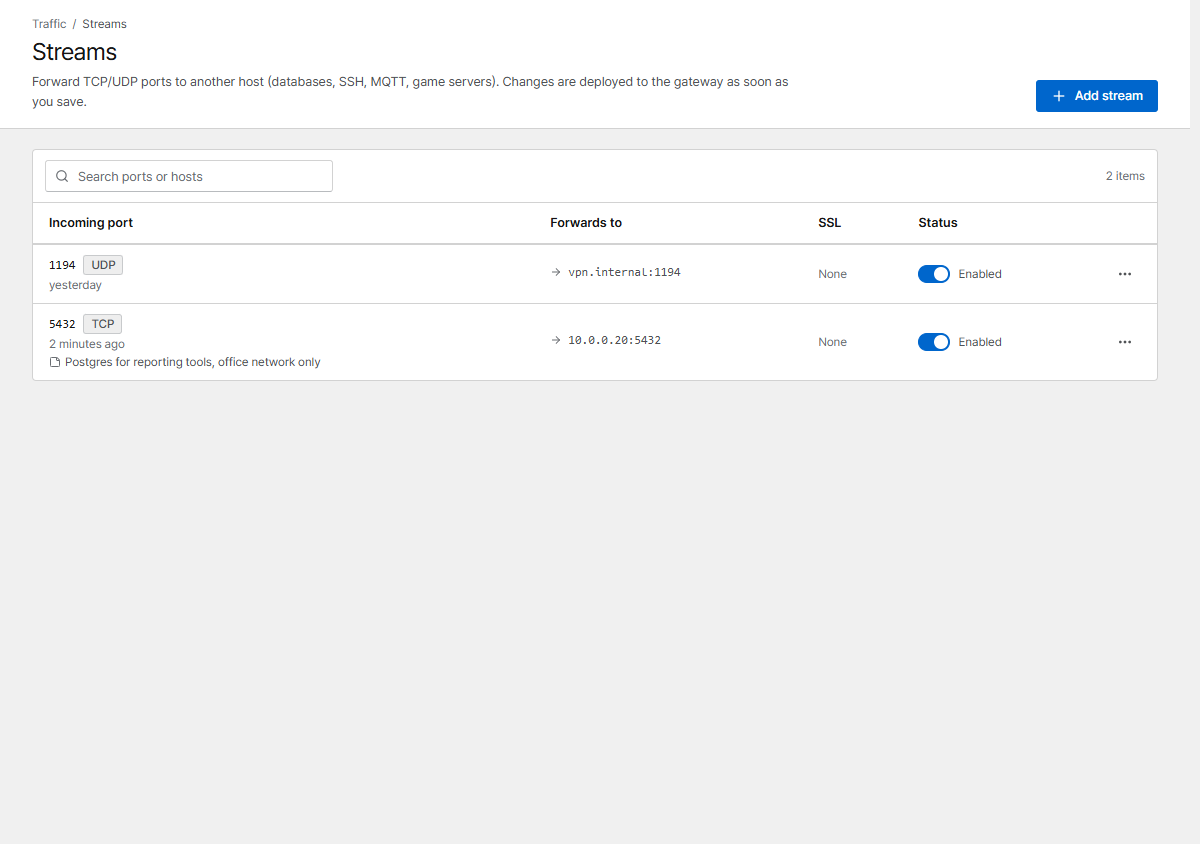
Click Add stream and set:
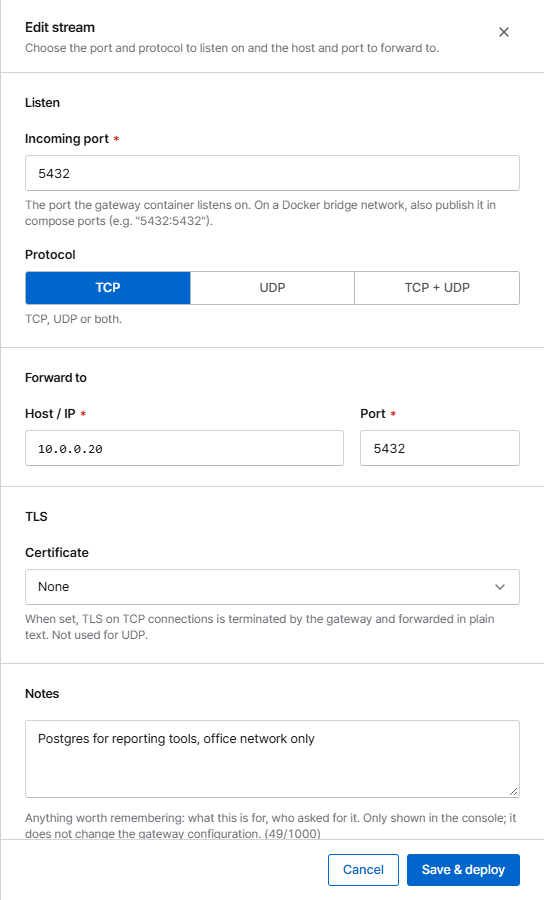
| Field | Meaning |
|---|---|
| Incoming port | The port Corvus listens on |
| Protocol | TCP, UDP or both |
| Forward to | Host / IP and port of the service (same forward targets as proxy hosts) |
| Certificate | Optional, TCP only: Corvus terminates TLS and forwards plain TCP. The TCP port opens once the certificate is issued |
| Notes | Optional, for people only (as for proxy hosts) |
| PROXY protocol | Optional, TCP only: accept it from a tunnel and/or send it to the service (below) |
Publish the port
With the default bridge network, Docker only passes the ports listed in docker-compose.yml.
Add every stream port there and apply it with docker compose up -d:
    ports:
      - '80:80'
      - '443:443'
      - '9443:9443'
      - '5432:5432'       # stream: PostgreSQL (TCP)
      - '1194:1194/udp'   # stream: OpenVPN (UDP)
With network_mode: host nothing else is needed.
PROXY protocol
A stream passes the connection through without reading it, so the service sees Corvus's address, and behind a TCP tunnel Corvus itself sees only the tunnel's address. The PROXY protocol carries the visitor's address in a header at the start of the connection. Each stream has two switches for it (TCP only: they are hidden for UDP-only streams, and with TCP + UDP they apply to the TCP listener only; UDP is unchanged):
| Switch | What it does |
|---|---|
| Accept PROXY protocol | Every connection on the port must start with a PROXY protocol header (v1 or v2) from a tunnel or load balancer (FRP, HAProxy, a cloud load balancer). Corvus takes the visitor's address from it on connections from the Trusted PROXY protocol sources |
| Send PROXY protocol to the backend | Corvus sends the visitor's address to the service in a PROXY protocol (v1) header. The service must expect it, otherwise connections fail |
Accept needs at least one address in Trusted PROXY protocol sources, in the PROXY protocol card on the Network page (the same list as for the HTTP/HTTPS PROXY protocol ports; see there which address to trust). The stream form warns while the list is empty and links to the card. The Accept PROXY protocol switch in that card is not needed: it only adds the HTTP/HTTPS ports. While a stream accepts the PROXY protocol, the trusted list can't be emptied. Connections from other addresses must still send the header, but keep their own address. A port that accepts the PROXY protocol refuses connections without the header, so use a separate stream (port) for direct clients.
Accepting alone strips the header and passes the connection on; the service still sees Corvus's
address. To pass the visitor's address on, turn on Send too, for a service that understands the
PROXY protocol: Postfix (postscreen_upstream_proxy_protocol = haproxy or
smtpd_upstream_proxy_protocol = haproxy), Dovecot (haproxy = yes on the listener plus
haproxy_trusted_networks), HAProxy (accept-proxy), nginx (listen … proxy_protocol), and
many others. Trust only Corvus's address there.
With a TLS certificate on the stream, the header comes before the TLS handshake (as tunnels send it) and is sent to the service before the decrypted data.
frpc.toml next to Corvus (frp 0.52 or later), for a stream on port 2525 that forwards to a
mail server with Accept and Send on:
As with the HTTP/HTTPS ports, publish the stream port on 127.0.0.1 when the tunnel runs on the
same host, or let a firewall allow only the tunnel's address.
Limits
- Ports Corvus uses itself (80, 443, 9443, its internal ports and the PROXY protocol ports while they are on) can't be used, and a stream can't forward to Corvus's own admin console or internal ports.
- Two enabled streams can't share a port and protocol.
- Idle connections are closed after 1 hour (TCP) or 60 seconds (UDP) without traffic.
- Streams have no request log, and IP bans and security rules don't apply to them yet. Restrict access with a firewall if needed.
Streams are imported from NPM.